Promotional banner To Be here.

The latest update to Stringer Topo enhances the Survey Defaults form by including export and import options to share between drawings/computers in your organisation.
What does the Survey Defaults form do?
The Survey Defaults form provides you with a centralised location for key settings controls: coordinate systems, point styles, code sets, survey line settings and default point group.
Once set, this establishes your drawing setup for input and output behaviour.
The Addition of Import and Export: Quick Settings Exchange
The dedicated Import and Export tools in the Survey Defaults form provides a simple method for exchanging your key settings (Point Code Set, Survey String Settings and Point Groups) between drawings via a single file (.strx).
In the past, sharing these key settings files across the organisation meant manually copying and pasting files between computers, and there was no way to inherit these for in-progress drawings.
To share the Stringer settings, all you need to do is:
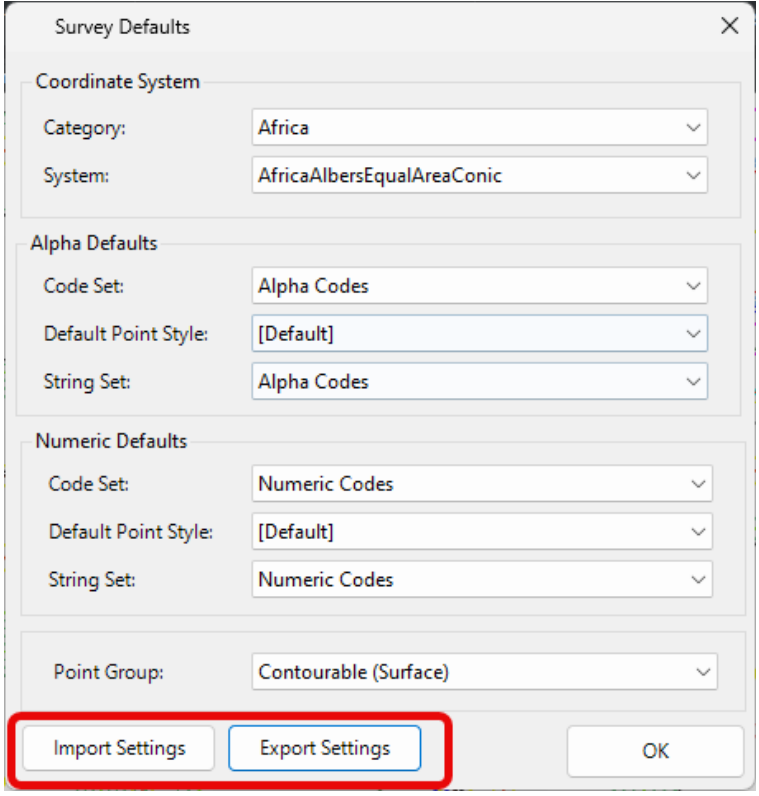
The point groups, point code sets and survey string settings files will be copied across to the receiving drawing, ready to be set as default and used.
Turning the Settings from Local to Global
These settings are added only to your current drawing. To set these as the defaults for all future drawings on your computer, you need to:


Copyright Civil Survey Applications 2026 | All Rights Reserved | Website Design by Fox & Lee