Promotional banner To Be here.

YOU have the power to create your own cross section variations using ScriptX. ScriptX was developed so that you could write Custom Design Variations to set the rules of behaviour for codes in your cross section.
ScriptX comes complete with a dedicated ScriptX Editor and includes the ability to include user inputs to control the values and output to suit your design requirements.
To get you started, we created a number of Custom Variations in Civil Site Design V25.00 that expand on the standard variations on offer in the software. From V25.10, this list of pre-built custom variations has increased with the addition of the below
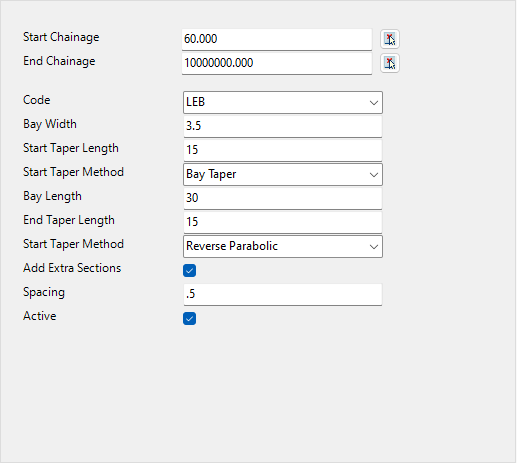
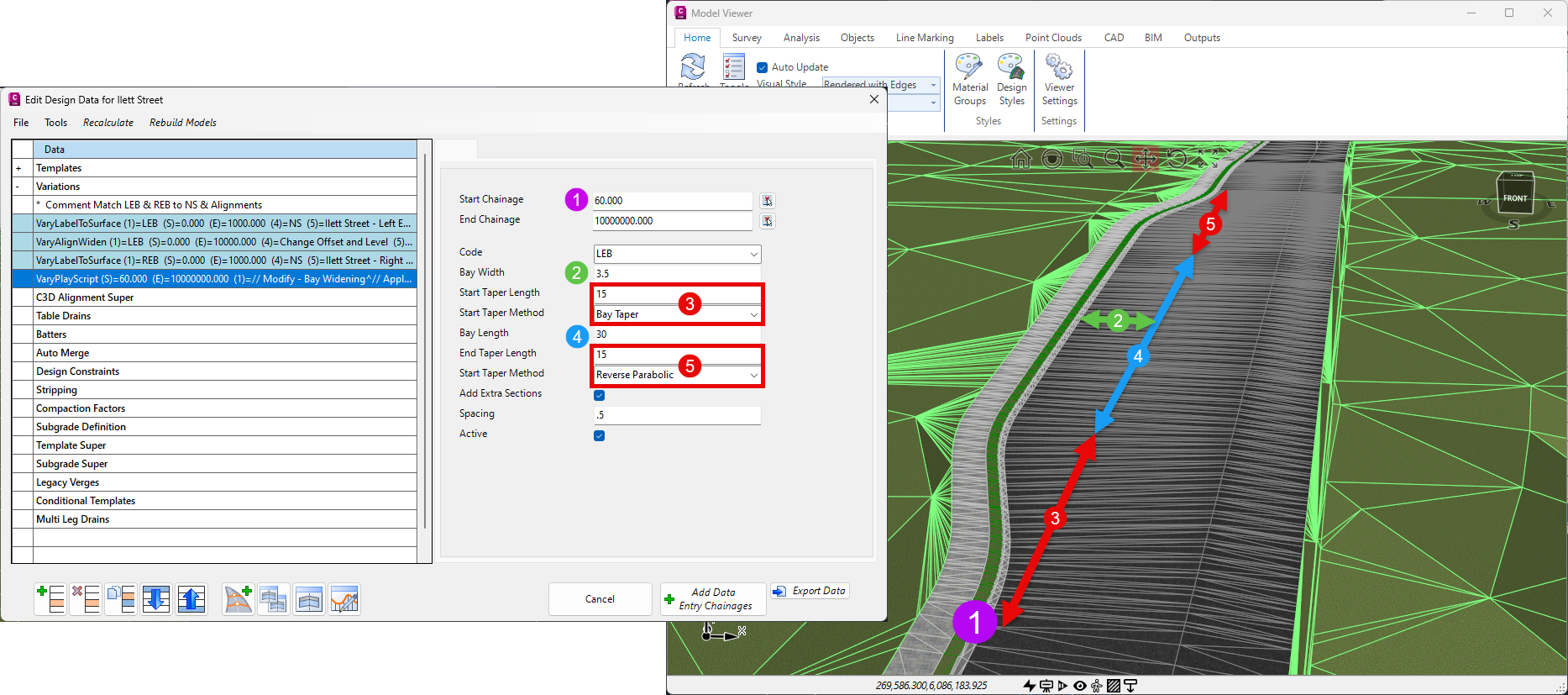
Generating a bay widening for a bus or parking typically requires an alignment (if the taper into and out of the bay isn’t linear) or a series of linear variations. This custom variation provides you with a single variation to achieve a road widening (or widening of any other code) which includes:
No extra alignments (or polylines) required!
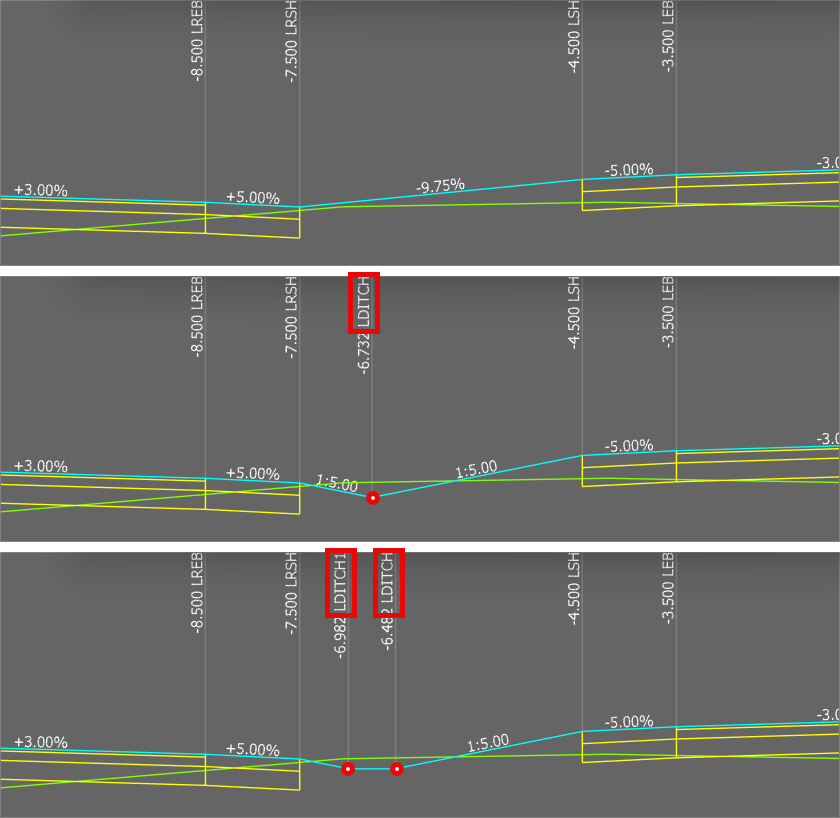
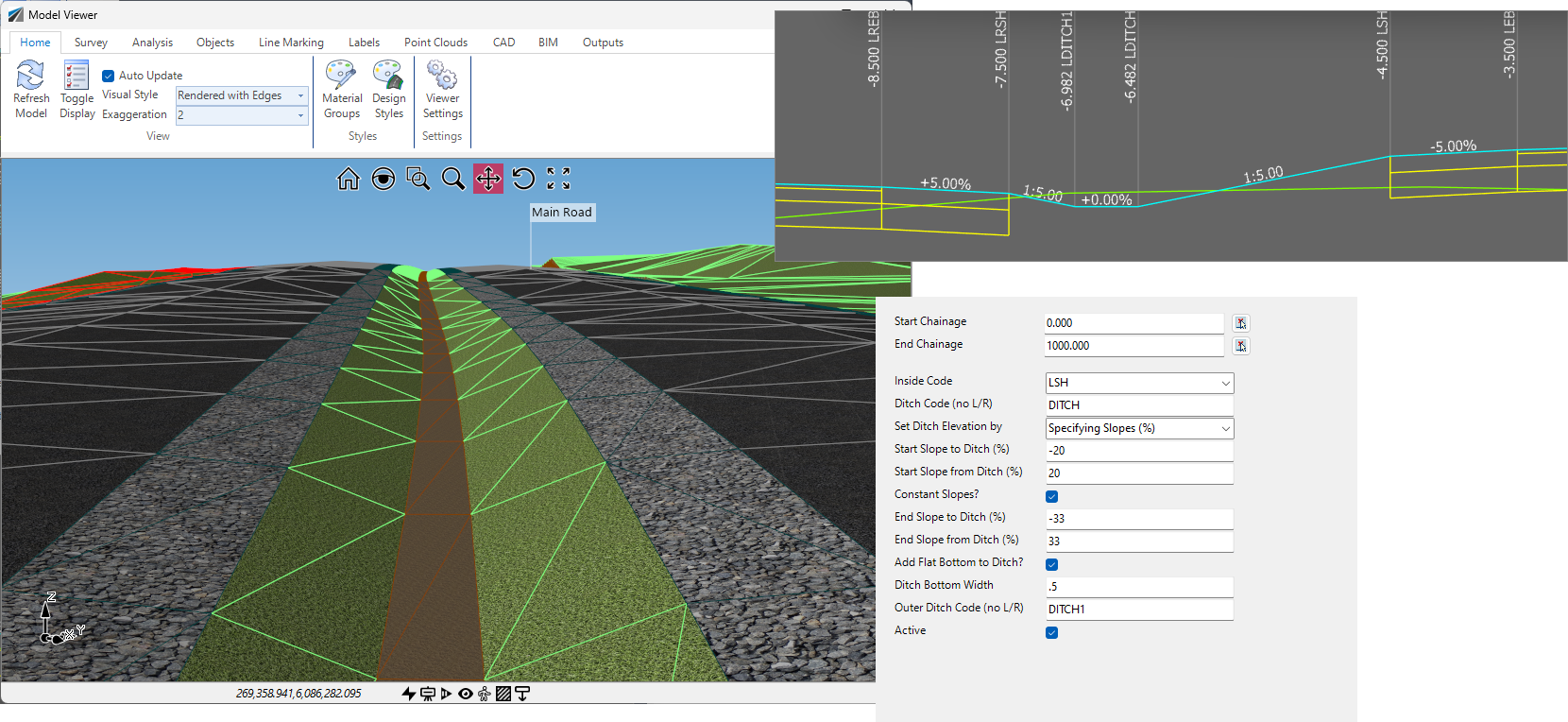
Sometimes you need to add a ditch (or berm) between two codes in your cross section. Using ScriptX, we’ve created a custom variation that let’s you pick an inside code and, keeping the offset and elevation of the next outer code, insert a ditch between. You set the foreslope and backslope for the ditch and it positions the ditch automatically. You can also add in a flat bottom in case it’s not a v-shaped dish.
The dish code insert position will shift left/right based on the elevation difference between the inner and outer code in order to maintain the required ditch slopes. If the ditch doesn’t fit, it isn’t added.
This custom variation inserts a new code between two Codes in your cross section. The inside and outside codes are not adjusted – the new code slots in between.
You can position this code relative to the inside code or the outside code and you have different options for setting the width (fixed with or % of distance) and the elevation (slope or elevation difference).
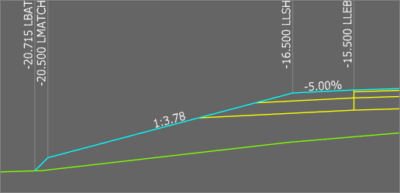
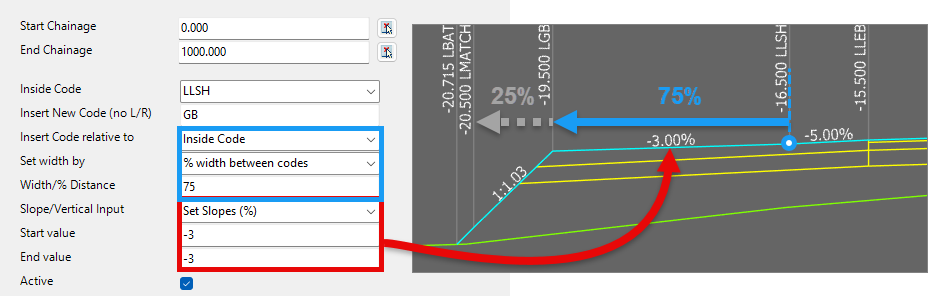
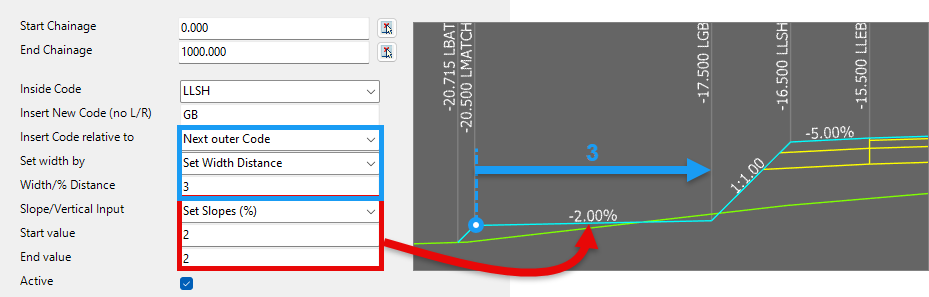
This custom variation inserts a new code between two Codes in your cross section. The inside and outside codes are not adjusted – the new code slots in between.
You can position this code relative to the inside code or the outside code and you have different options for setting the width (fixed with or % of distance) and the elevation (slope or elevation difference).


Copyright Civil Survey Applications 2026 | All Rights Reserved | Website Design by Fox & Lee