Promotional banner To Be here.

The Auto Create Grading Strings augments the current Create Grading command by offering robust batch processing, sequential naming, and multiple initial elevation controls.
Access and Core Functionality
The new feature is accessible via command line entry (ARDUV7AJEBBATCHGRADINGCREATE) or from the Toolspace (right click on Grading Strings).
When you start the command a multi tabbed form displays to guide you through the process of selecting source geometry, defining naming conventions, setting design parameters, establishing initial grading elevations and configuring model integration.
Let’s take a walk through the functionality.
First, select your polylines to use as Grading Strings. Here you can pick in the drawing as well as add by layer.
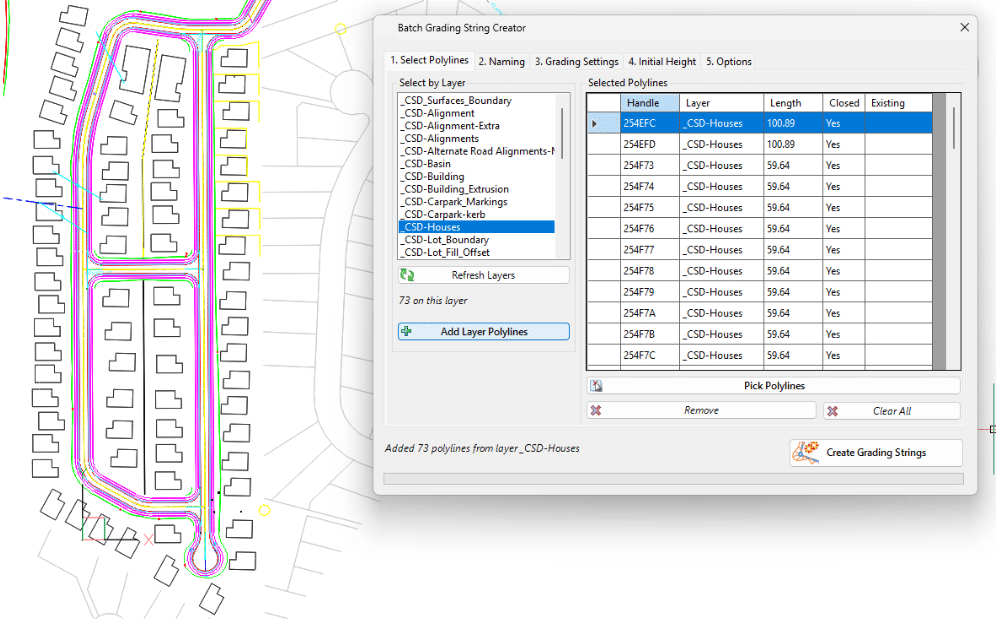
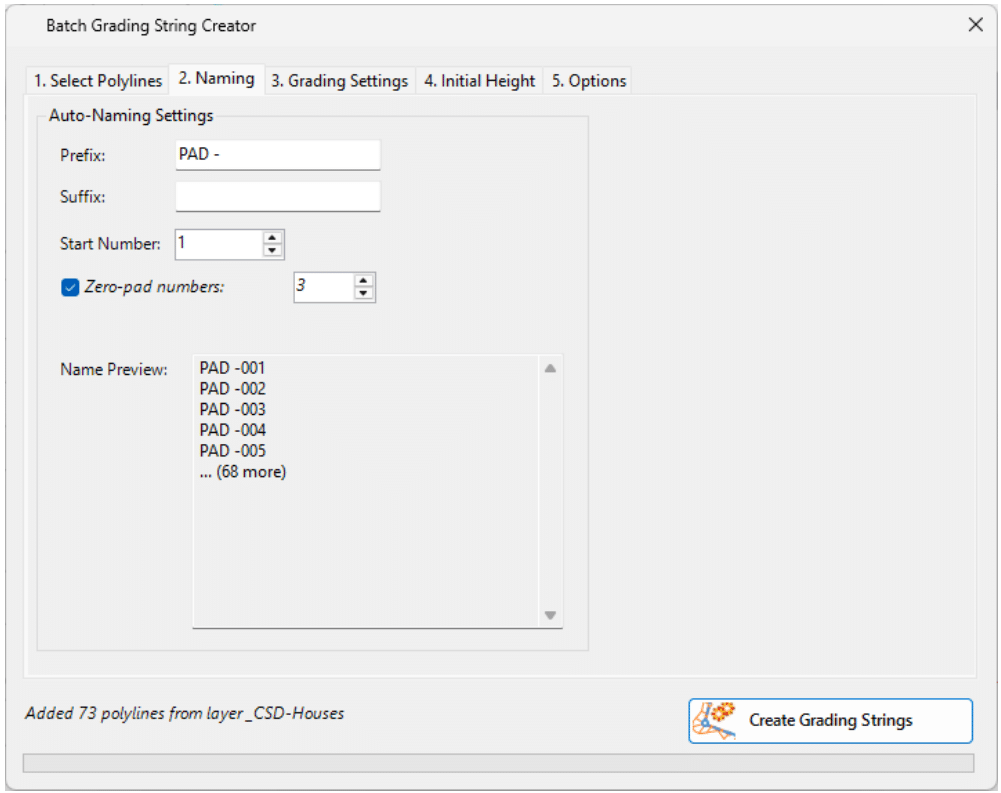
Establish the naming convention for the grading strings. This includes prefix, suffix and auto number incrementing. There is a preview to check for duplicate names
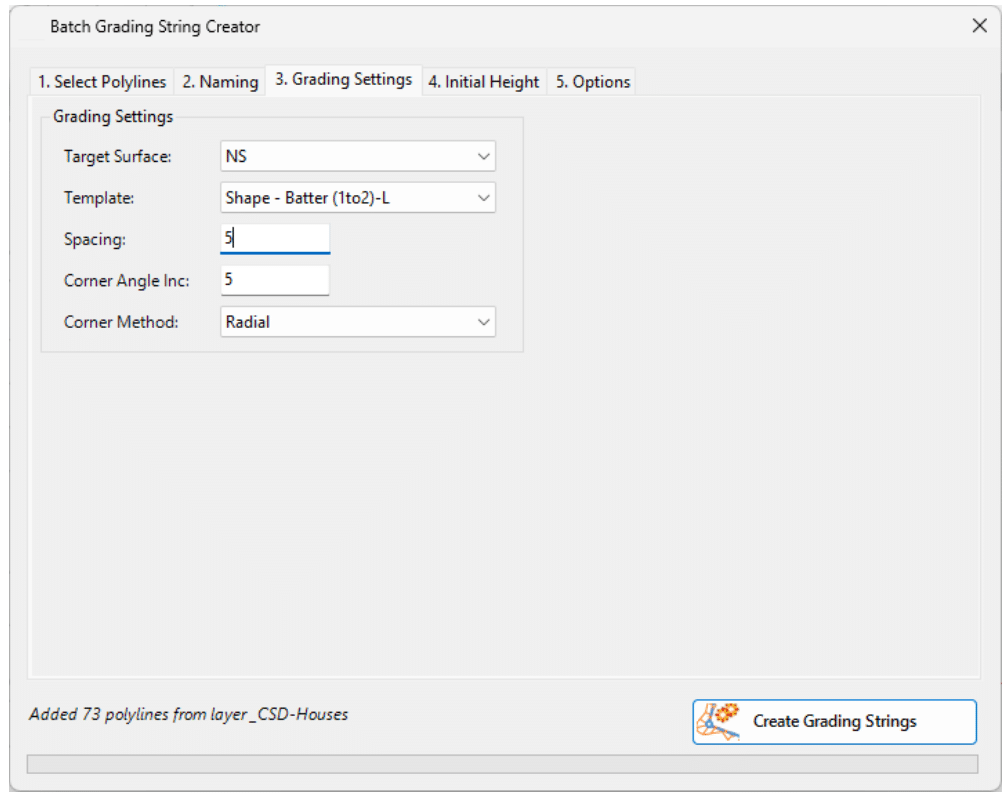
As per the current Grading String form, you then set up the base surface, template, spacings and batter slopes to apply.
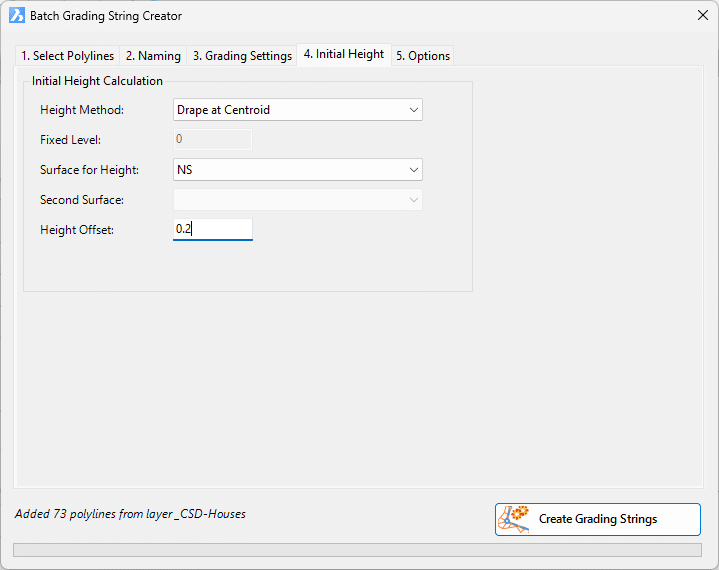
The Initial Height tab lets you determine the method for setting the initial grading elevations. As well as Fixed Level, which is the only option in Create Grading, you can set the elevation based on the surface information found for the polyline, along with an additional height change.
Lastly, set the options for surface and model creation, then click Create Gradings.
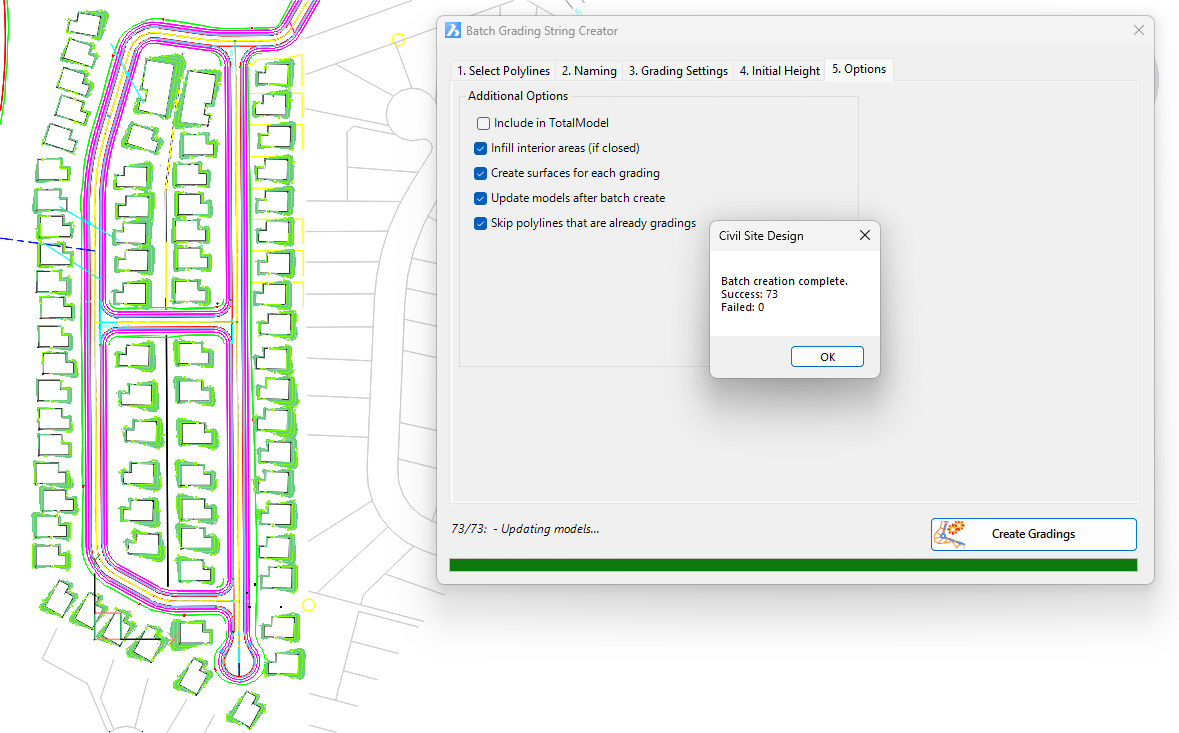
All grading strings are created! Now you can review and edit them as needed for your design.
Grading String Management
If you are making LOTS of grading strings, this will impact on rebuild speed if all the grading strings are set to dynamically update. When you edit a polyline that controls a grading string, we sweep the drawing and update all grading strings.
You can control which Grading Strings rebuild by running the Grading String Manager. The command is available from the CSD Toolspace under the Grading Strings heading.
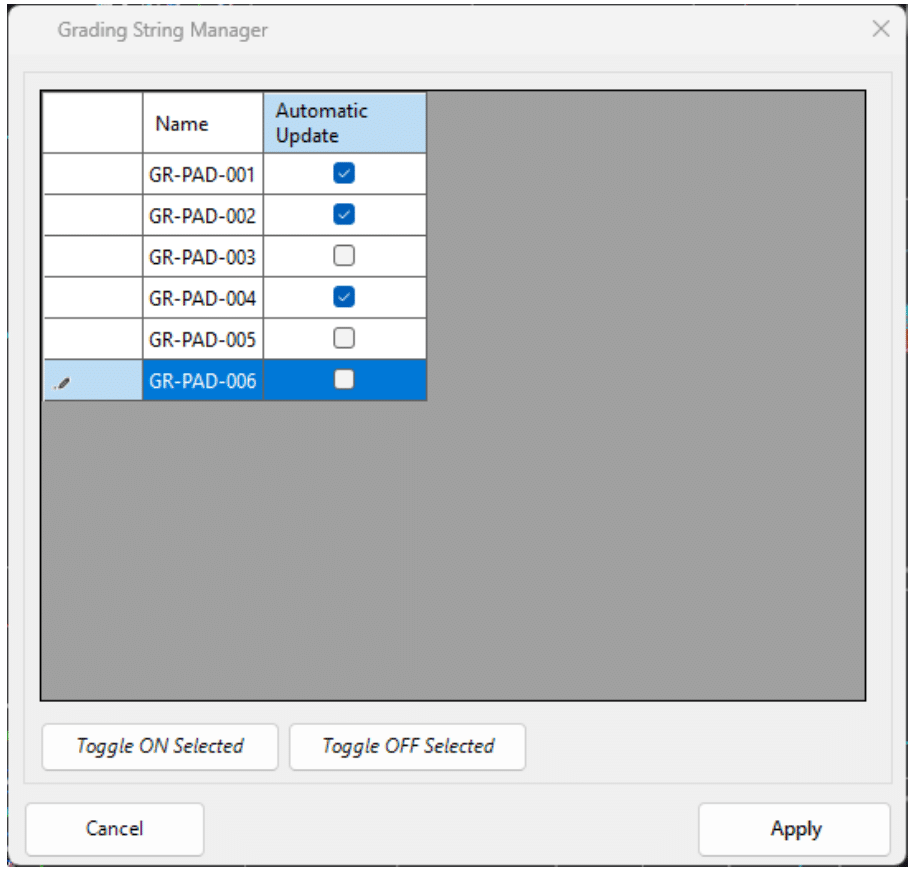
Just tick off the grading strings you don’t need to automatically recalculate. You can rebuild these gradings via the Create/Edit Grading command or by editing the vertical design in the Vertical Grading Editor. You can also update them by running a Thread.


Copyright Civil Survey Applications 2026 | All Rights Reserved | Website Design by Fox & Lee