
Civil Site Design V25.1 has just been released and includes some great new features, including Sectional Volumes and a Multi-Section Viewer.
See the video below for an overview of these new features:
You can also read more about these features below.
Sectional Volumes
The new Sectional Volumes command allows you to calculate volumes between two surfaces, based on a series of cross sections.
The command is available from the Volumes tab of the Civil Site Design ribbon.
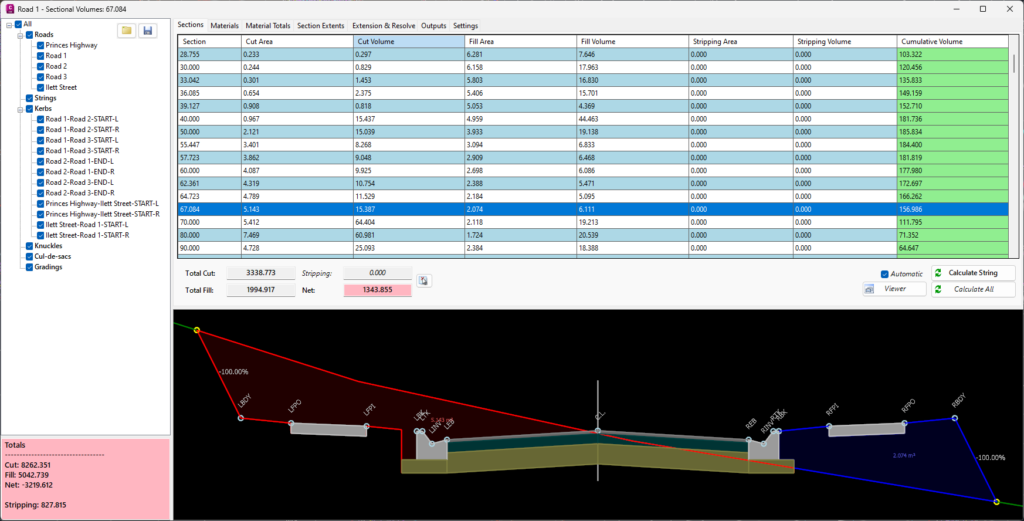
You can select a Master String, a Reference Surface and a Comparison Surface. The software will then generate a series of cross sections at a specified interval, and calculate the cut and fill volumes between the two surfaces.
The results are displayed in a table, and can be exported to a CSV file.
The command also includes an option to generate a report, which includes a summary of the volumes, and a detailed breakdown of the volumes at each cross section.
Multi-Section Viewer
The new Multi-Section Viewer allows you to view multiple cross sections simultaneously, making it easier to compare and analyze your design.
The command is available from the Sections tab of the Civil Site Design ribbon.

You can select a series of cross sections, and the software will display them in a single window, with options to zoom, pan, and rotate the view.
The viewer also includes options to display different layers, such as the existing surface, proposed surface, and design components, making it easier to visualize your design.
The Multi-Section Viewer is a powerful tool for analyzing your design, and can help you identify potential issues and optimize your design.
We hope you enjoy these new features in Civil Site Design V25.1!
If you have any questions or feedback, please don’t hesitate to contact us.
Happy designing!